Content Guidelines & Best Practices
Create stunning personalized images that look professional and share-worthy!
Input Field Guidelines
| Input Type | Description | Best Practices | Example |
|---|---|---|---|
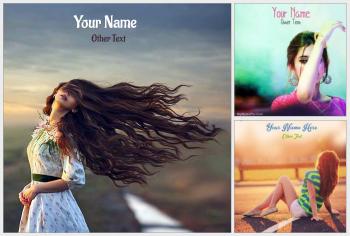
| Single Name | One name field (Your Name) | Use 6-15 characters for best fit | "John", "Sarah", "Michael" |
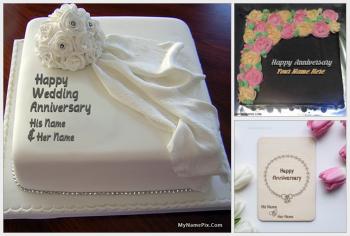
| Couple Names | Two name fields (His/Hers, Your/Their) | Keep both names balanced in length | "Raj & Priya", "John & Sarah" |
| Single Character | One letter/number (initial) | Use capital letters for best visibility | "J", "S", "A" |
| Photo Upload | User image embedded in design | Use clear, well-lit, square photos | Portrait, selfie, profile picture |
| Optional Fields | Not required but enhance design | Fill for more personalized results | Date, occasion, location |
Text Formatting Tips
Do's:
- Use proper capitalization (e.g., "John" not "john")
- Keep names between 3-15 characters for best results
- Use special characters sparingly (@, #, &)
- Preview before final download
Don'ts:
- Avoid ALL CAPS (unless template specifies)
- Don't use excessive emojis in names
- Avoid extremely long names (>25 characters)
- Don't include offensive language
Photo Upload Guidelines
Size & Resolution
Min 500x500px, Max 5MB
Square photos work best
Lighting
Well-lit, front-facing photos
Avoid shadows and backlight
Subject Position
Face centered, looking at camera
Clear facial features
Sharing Best Practices
Pro Tip: Always check "Save to Gallery" if you plan to share on social media!
- WhatsApp: Saved images show beautiful preview with title, description, and image
- Facebook: Share the unique link for automatic rich preview
- Instagram: Download image first, then upload to Instagram
- Twitter/X: Link shares with full card preview
- Pinterest: Save directly from our site to your boards
Prohibited Content
The following content is strictly prohibited on MyNamePix:
- Hate speech or discrimination
- Explicit or adult content
- Violent or harmful imagery
- Copyrighted characters without permission
- False or misleading information
- Spam or promotional content
Accessibility Tips
- Use high contrast between text and background
- Avoid extremely small font sizes for names
- Consider colorblind-friendly color combinations
- Preview on both light and dark devices
Violations: Content violating our guidelines will be removed. Repeat offenders may be blocked from using our service.